
Claude AI to Notion - Chrome Extension
Backup, export, and sync your Claude AI conversations to Notion. The ultimate Chrome Extension to bulk export artifacts, canvas content, and entire chat history with one click.
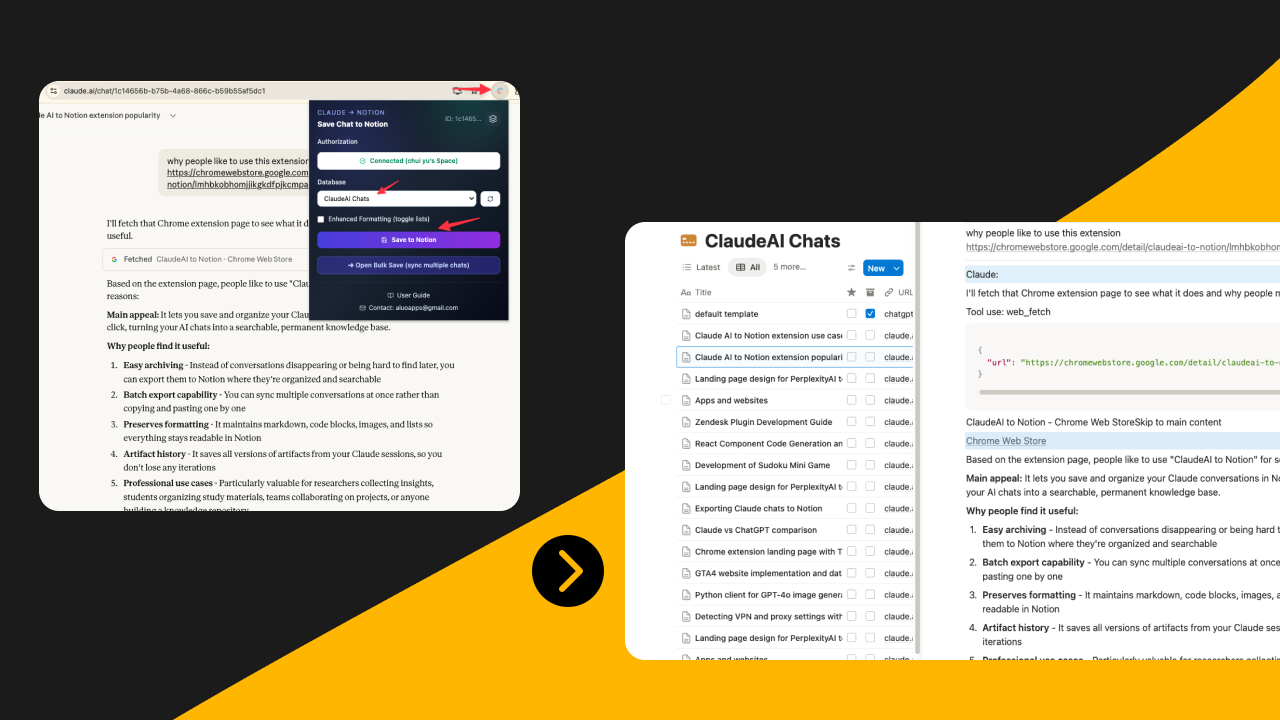
People Love Claude to Notion because it preserves artifacts, canvas content, and formatting perfectly.
Key Features
Full Artifact History Export
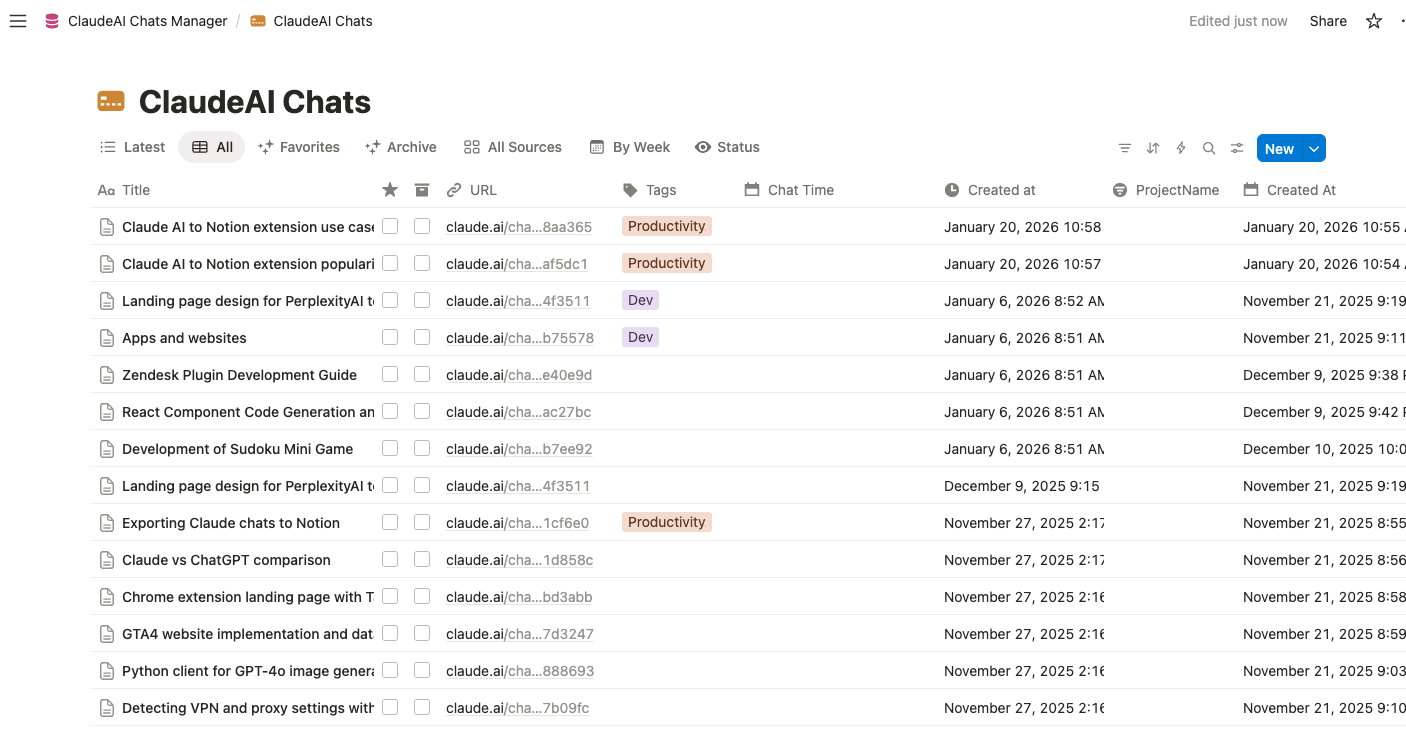
Never lose your work. Export all artifact content from Claude chats, including every version created in a session. Code, documents, and creative outputs are preserved with complete version history.
Canvas Integration
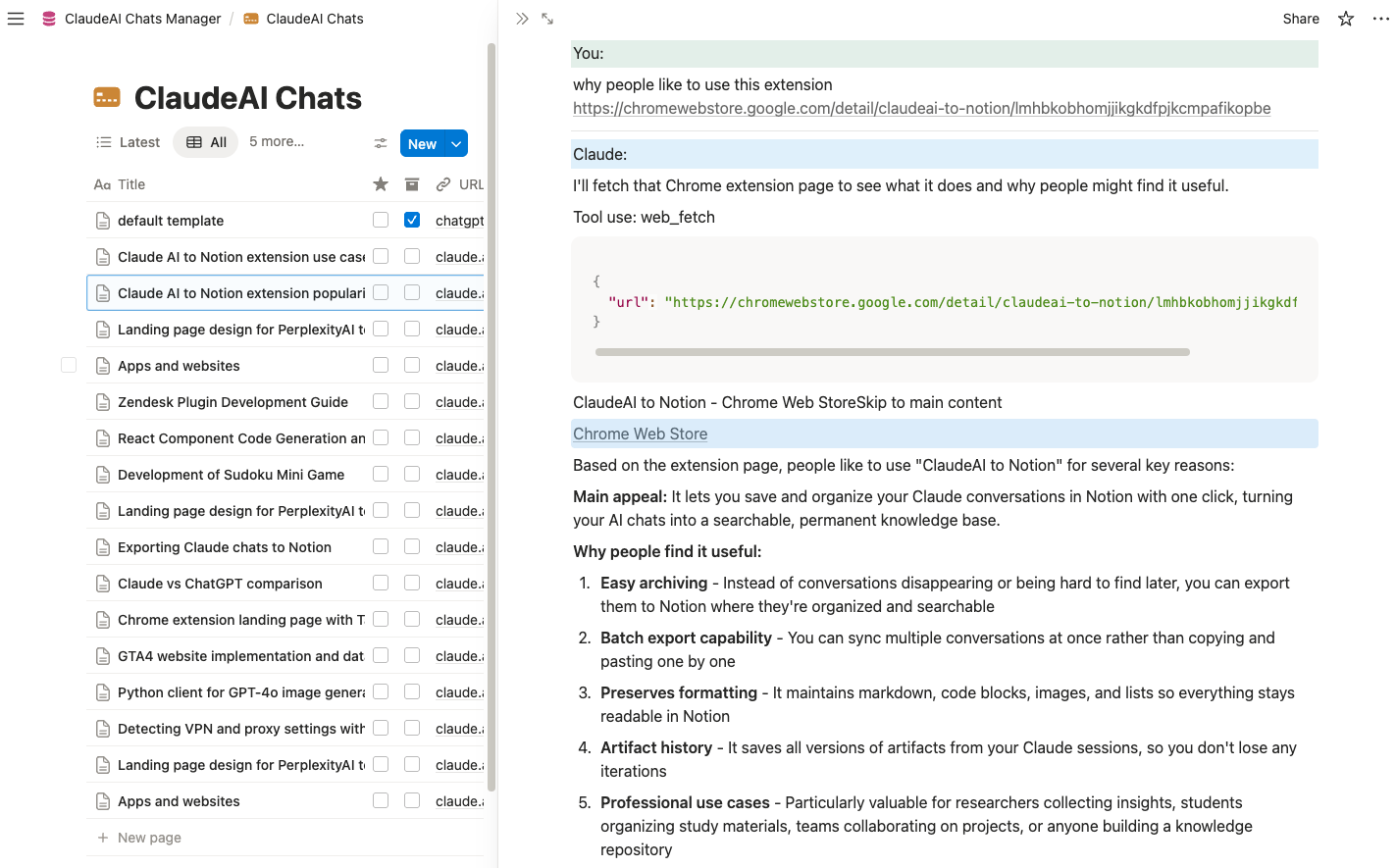
Export Claude AI canvas content as structured pages in Notion. Preserve your collaborative work, brainstorming sessions, and visual thinking directly into your knowledge base.
Batch Sync & Backup
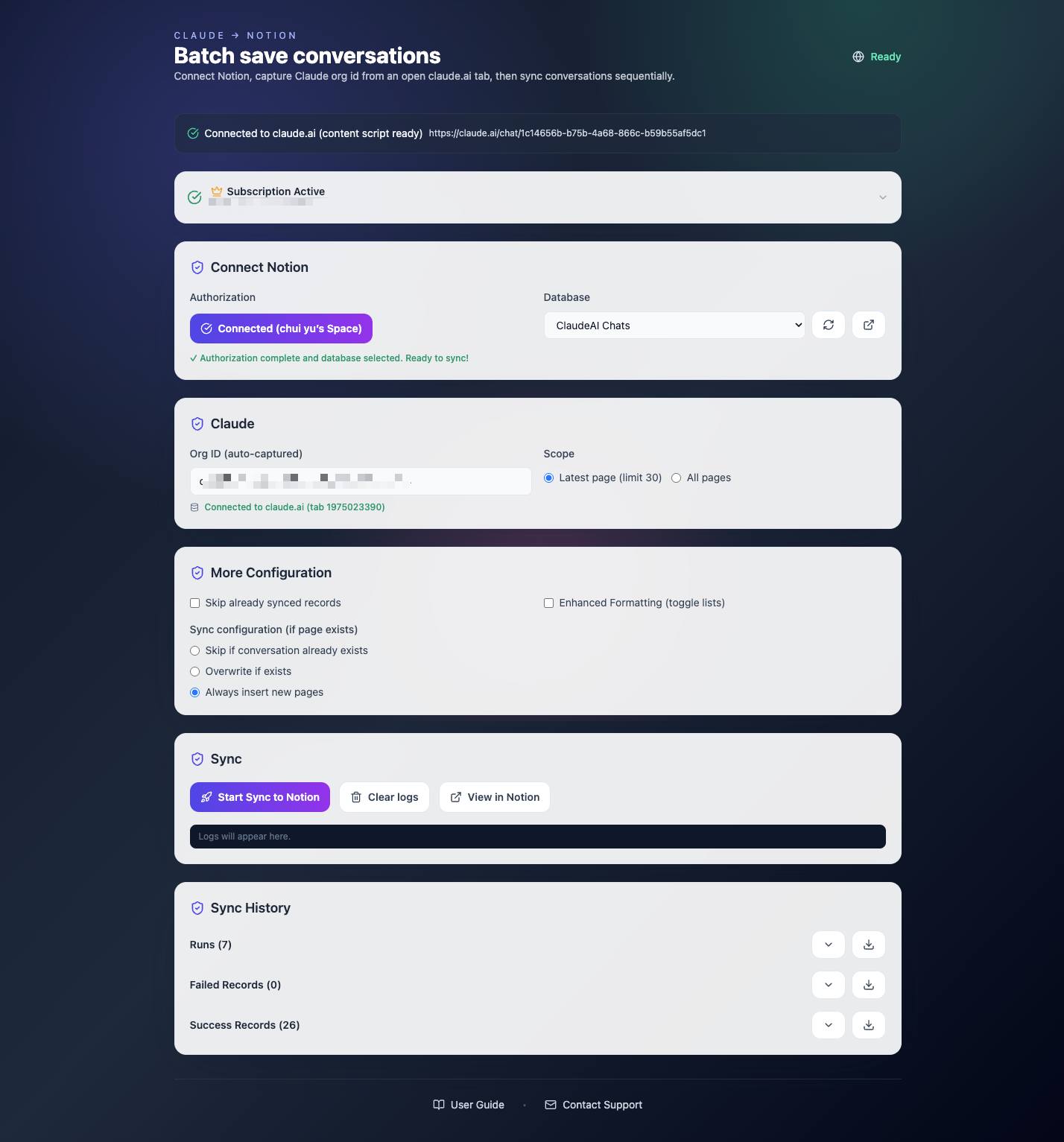
Build a complete archive of your Claude conversations. Bulk export multiple chats in one operation with smart skip/overwrite/duplicate options. Your AI knowledge, safely backed up.
Key Features of Claude to Notion
Everything you need to organize your Claude conversations quickly and efficiently.
Smart Formatting
Preserves Markdown, Code Blocks, Images, Tables, and Lists exactly as they appear in Claude.
Artifact Version History
Export all artifact versions from a session. Never lose iterations of your code or documents.
Canvas Export
Save Claude AI canvas content as structured Notion pages with full formatting preserved.
Versioning Control
Choose to skip, overwrite, or duplicate existing pages when syncing. Full control over your archive.
One-Click Save
Export the current conversation instantly with a single click from the extension popup.
Batch Sync
Sync multiple conversations in bulk to build a complete backup of your Claude AI knowledge.
Export to Download
Once synced to Notion, easily download your chats as PDF, HTML, or Markdown files for offline storage.
Local & Private
Your data flows directly from your browser to Notion. No middleman servers.
How it Works
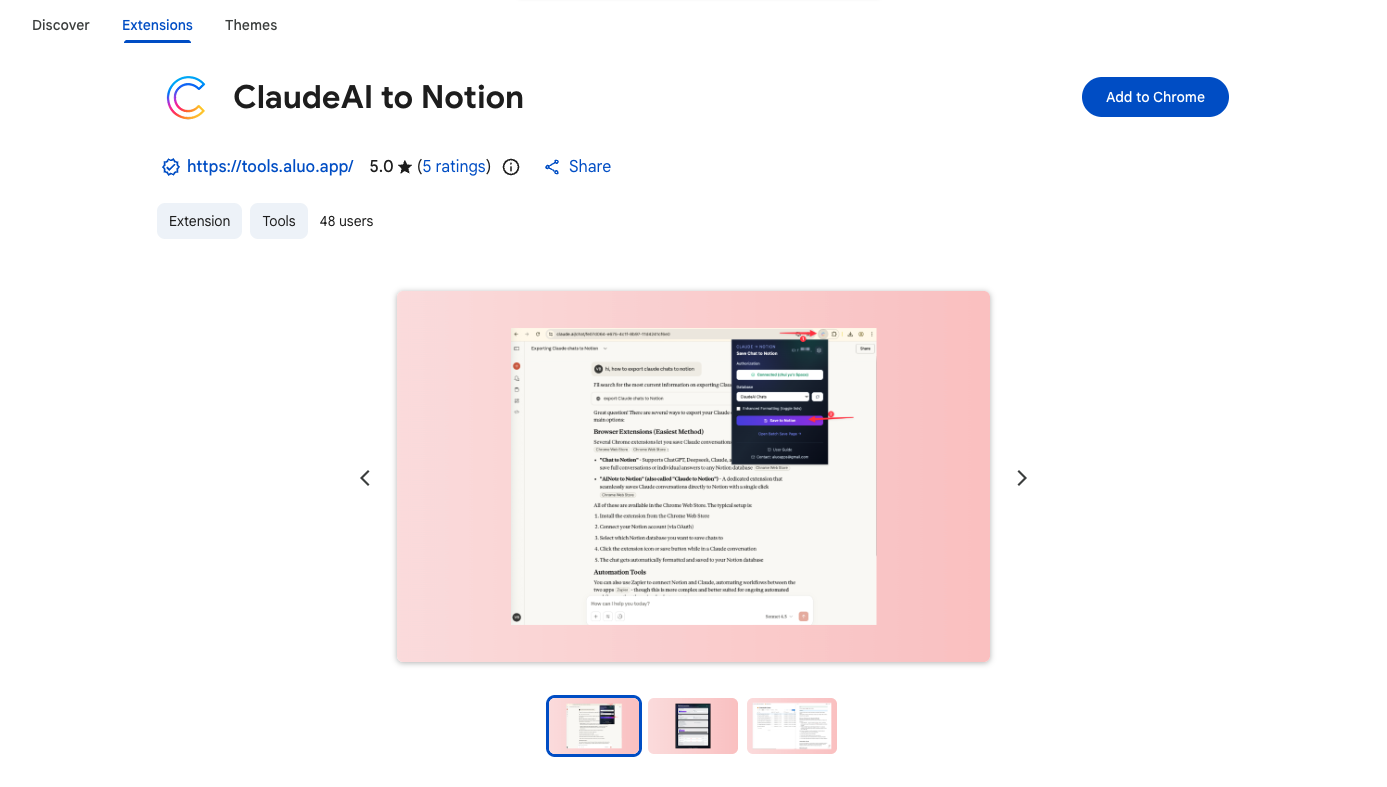
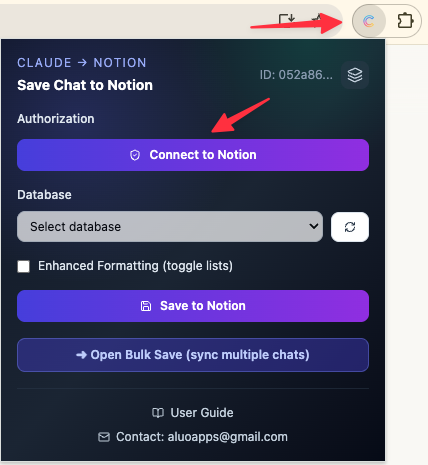
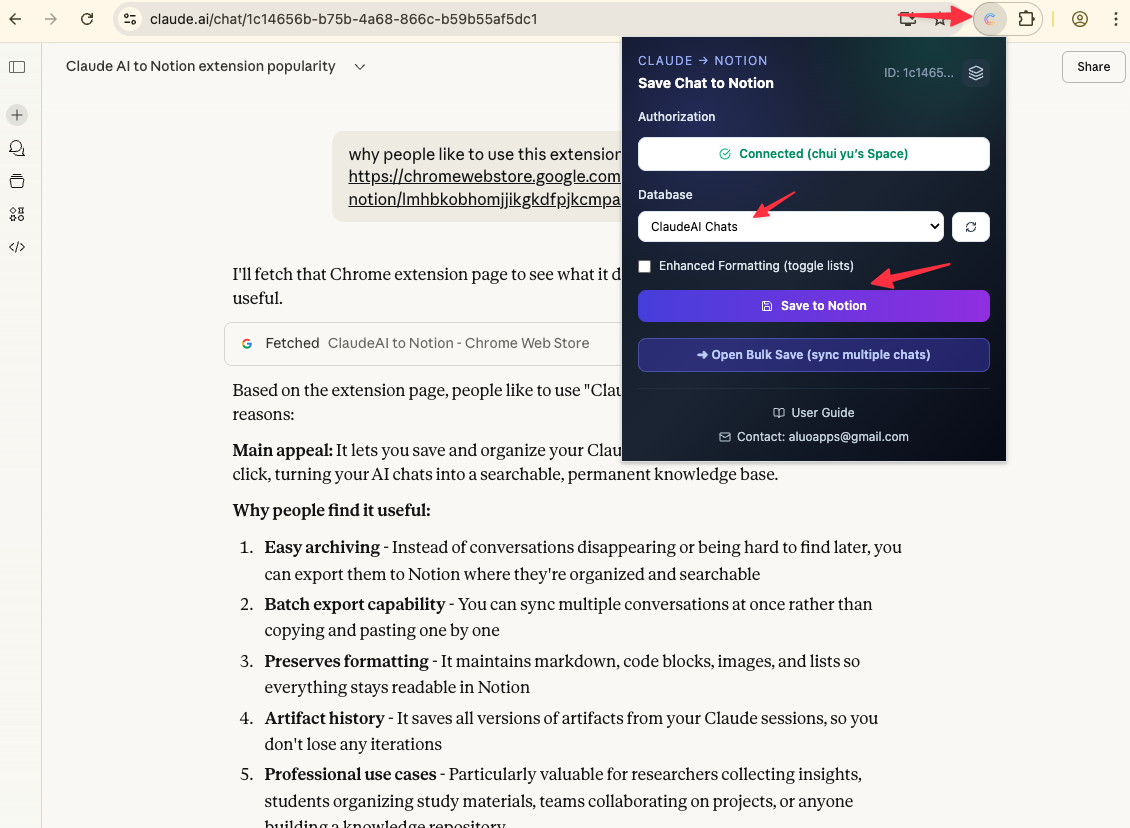
What Users Say About Claude to Notion
Real workflows, backed up to Notion.
"The artifact version history is a lifesaver. I can see every iteration of code Claude generated, not just the final version."
"Canvas export is perfect for preserving brainstorming sessions. Everything transfers to Notion with structure intact."
"Batch sync keeps my Claude conversations backed up automatically. Searchable archive of all my AI research."
"I export every writing session to Notion. The formatting is perfect, and I can organize by project easily."
"Code blocks and tables export cleanly. I use it to document all my Claude-assisted analysis work."
"One-click export makes it effortless to save important conversations. My Notion workspace is now my Claude knowledge base."
What's New
🚀 NEW: Full artifact history export. Export all artifact versions from Claude chats.
🚀 NEW: Canvas integration. Export Claude AI canvas content as structured Notion pages.
✨ Initial release for Claude AI to Notion with batch sync and one-click export.
Frequently Asked Questions About Claude to Notion
Have another question? Contact us on Discord or by email.
How do I backup my entire Claude AI history?
Use the Batch Sync feature to archive multiple conversations to Notion in one operation. This creates a complete backup of your Claude AI history that you can search and organize.
Can I export Claude artifacts?
Yes. The extension exports all artifact content from Claude chats, including every version created in a session. Code, documents, and creative outputs are preserved with complete version history.
Does it support Claude AI canvas?
Yes. You can export Claude AI canvas content as structured pages in Notion with formatting preserved.
How does Claude to Notion work?
The extension connects to both Claude AI and Notion through secure OAuth2 authentication. When you export a chat, the extension captures the content and saves it to your selected Notion database.
Can I download Claude chats as PDF?
Yes. Export the chat to Notion first, then use Notion's built-in feature to download the page as a clean, formatted PDF or Markdown file for offline storage.
What happens if I try to save a conversation that already exists in Notion?
You have three options: skip (leave the existing entry unchanged), overwrite (replace the existing entry), or duplicate (create a new entry). Configure these options in the extension settings.
Can I batch sync multiple chats?
Yes. Batch sync saves multiple conversations in bulk with smart skip/overwrite/duplicate options to prevent duplicates.
How secure is my data?
We use OAuth2 authentication to securely connect to your Notion account. We never store your conversation data on our servers. All data transfers happen directly between Claude AI and your Notion account.
What gets exported to Notion?
Each exported conversation includes: Title (conversation title), URL (source link), ConversationTime (timestamp), and fully formatted content with preserved structure including artifacts and canvas content.
Unlock Unlimited Power
Batch export 100+ chats, Auto-Sync, and priority support with Universal Pass.
Get Universal Pass